Net Revenue
$24,68018.6%BUILT FOR WOOCOMMERCE
Your store.
A clearer picture.
See what sold, what you kept after costs, and which customers came back. Statnav brings WooCommerce reporting into one focused workspace.
$10 USD / month per store · No order-volume tiers
LESS TIME IN WORDPRESS. MORE ANSWERS ABOUT YOUR STORE.
Find the answer.
Filter the customers. Export the data.
Stop piecing together your store’s performance across admin pages. Statnav brings your WooCommerce data into a dedicated reporting workspace, with the filters and exports you need to put it to work.
01 / GET YOUR ANSWERS IN ONE PLACE
Understand your sales and what drives them.
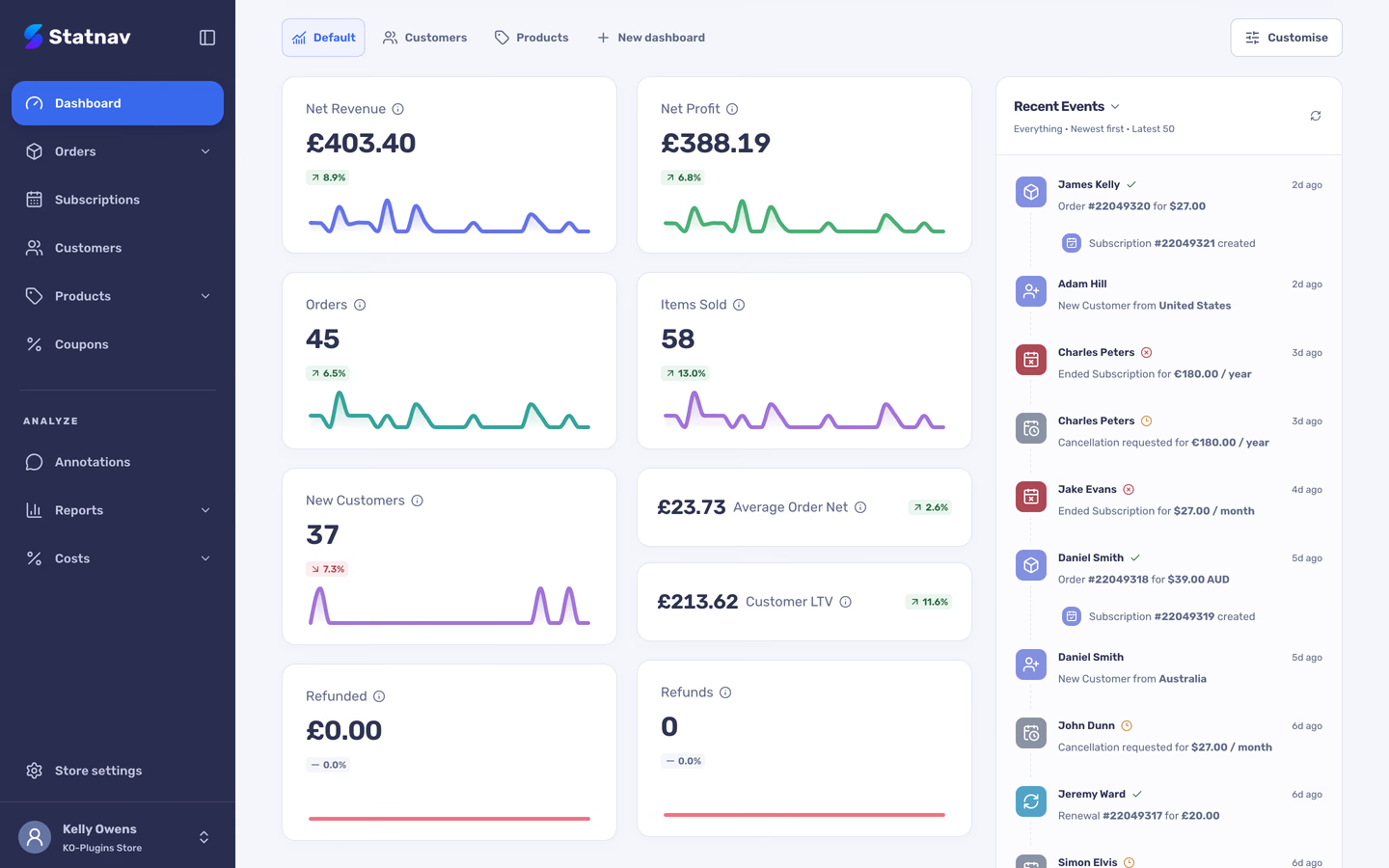
How much did you sell? What did you keep after costs? Which products brought customers back? Start with your dashboard, compare dates and drill into the reports behind the numbers.
Revenue, profit, products and customers belong together. Statnav organises them into a reporting workspace built for exploring your store.
Explore reporting at a flat monthly price Dashboard Stats
CURRENT19 Sep 2026 – 15 Oct 2026
Orders
48612.4%Recent EventsNewest first · Latest 50
- Subscription renewed
Renewal #22049314 for $27.00
- New order received
Order #22049313 for $42.00
- Refund recorded
Refund issued for $18.50
- New customer
Alex Lee placed a first order.
- Payment received
Order #22049310 for $64.00
- Subscription cancelled
Subscription #22049312 cancellation requested.
Go deeperFollow a dashboard card to see the orders behind it.
02 / FIND THE CUSTOMERS YOU’RE LOOKING FOR
Find your best customers.
Bring them back.
Find repeat buyers, high spenders or customers who haven’t ordered recently. Combine customer filters to turn a long list of names into a group you can actually learn from.
Save the segment and load it again when you need it. Your next review starts with the right customers already in view, without rebuilding the same filters.
- Combine conditions to narrow your audience
- Open a customer’s purchase history
- Export the customers in your segment
Customer segmentsExample workflow
Match all of these filters
Ordersgreater than1
Total spentgreater than$200
Your repeat, high-value customersA focused list, ready to explore or export.
Saved segmentRepeat customers · $200+
03 / GET YOUR DATA OUT AND GET ON WITH YOUR DAY
Export the data you need.
Skip manual cleanup.
Need a customer list, a set of orders or product data for your next review? Export directly from the view you’re working in, using your current search, segment and date selection.
Choose the columns you need, arrange their order and download a CSV. Save supported charts as images or download supported reports as PDFs when you need a snapshot to share.
- Export filtered records as CSV
- Choose and reorder columns
- Download chart images and report PDFs
Export customersExample workflow
Customise export columns
YOUR COLUMNS, IN YOUR ORDER1Name2Email3Orders4Total spent
customers.csvReady for your next step
A CLEAR PATH TO YOUR DATA
Connect. Sync. Explore.
Connect your store
Link your WooCommerce store to your Statnav account using the guided connection flow.
Bring your data together
Import your store history. Automatic syncing keeps your reports up to date while you have access.
Find your next insight
Explore your dashboard, compare performance and dive into individual orders, customers and products.
SIMPLE, PREDICTABLE PRICING
No pricing tiers.
One flat rate.
One flat subscription fee for each connected store. Your bill grows when you add stores, not when you make more sales.
Create an account to connect your store and get started.
CompleteAll features included
Early Bird PricingFirst 50 customers
$25$10USD / month
Save $15 per store monthly · $10 per store
- Sales, profit, customer & product reports
- Advanced filters & saved segments
- Chart annotations
- CSV, chart image & PDF exports
- Retention, forecasts & subscription reports
- Customisable dashboards & store switching
A FEW THINGS TO KNOW
Questions, answered.
Can't find what you're looking for below? Read our help Docs.
What is Statnav?
Statnav is an analytics and reporting app for WooCommerce stores. It brings orders, customers, products and WooCommerce subscription data into a dedicated reporting workspace.
Does Statnav include email marketing?
Statnav focuses on analytics and reporting. Use it to explore your store data, build segments and export records while continuing to use your preferred email marketing tools.
Will my price increase when my store grows in volume?
No. The monthly price is per enrolled store. Increasing your order volume does not move you into a higher pricing tier.
Who gets Early Bird Pricing?
The first 50 customers can get the current $10 USD monthly price per store. The standard price is $25 USD per store per month. Your checkout shows the price that applies before you subscribe.
How is the subscription priced?
You pay a flat monthly fee per enrolled store, rather than a fee based on the number of orders. Payments are processed by Stripe. All subscription charges are in USD.
Can I cancel my subscription?
Yes. You can cancel from your account subscription settings. Access continues until the end of your paid billing period, and your subscription will not renew.
What happens when I add another store?
Before you confirm payment, you see the prorated cost for the rest of your billing cycle and your new monthly total. Your stores then renew together on the same date.
How does Statnav connect to my WooCommerce store?
We use the built in WooCommerce REST API on your store to fetch your stores data, and a lightweight helper plugin to aid the process.
Still have questions?
Can't find the answer you're looking for? Get in touch with our friendly team.
Know your store.
See your next step.
Bring your store data into focus, with sales, profit, customers and products together in one place.
Start your 30-day free trial