SHARE YOUR FINDINGS
Export records, charts, and reports
Statnav offers CSV exports for supported record lists and download controls on supported charts and reports. Start by narrowing the data you need.
4 min readPrepare a focused list
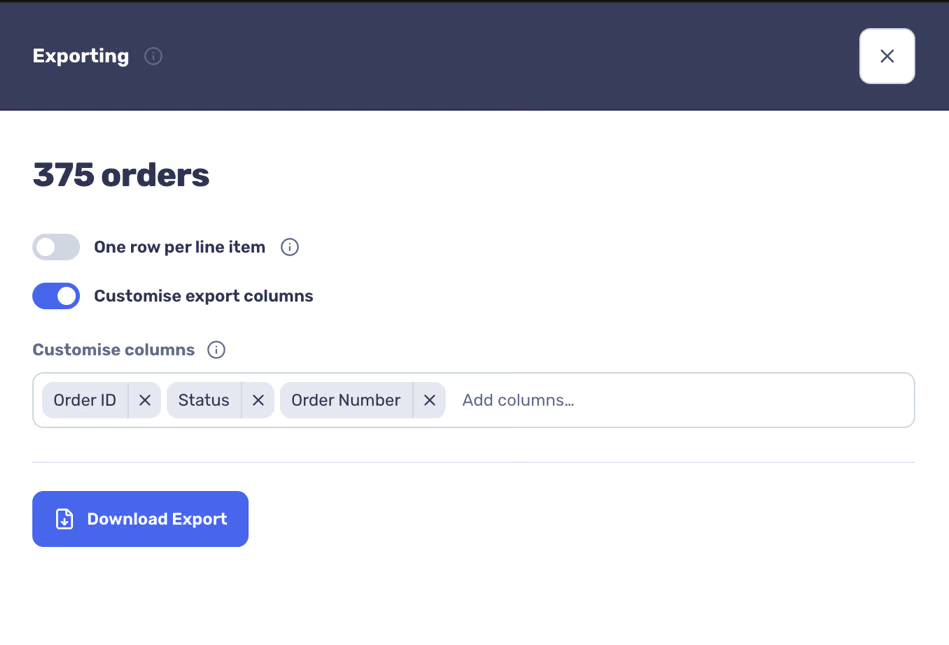
The drawer prepares a CSV from the current selection. Available fields vary by record type.
- Open a supported list such as Orders, Customers, Products, or Subscriptions.
- Set the dates, search, and segment filters you want.
- Select its Export button to open the export drawer.
Choose the CSV detail
When using one row per line item, order or subscription totals repeat on each product row. Check this before summing the resulting CSV.
- For supported order or subscription exports, turn on One row per line item when each product should have its own row.
- Turn on Customise export columns to select and reorder the fields you want.
- Select Download Export.