Configure store and date settings
Store settings define the context Statnav uses to display and group your data. These choices are separate from your personal account preferences.
5 min readGeneral store settings
Open Store settings → General to review the connected store, its name, currency and timezone. The store timezone controls store-local reporting dates; your personal profile can have its own display timezone. Check the store timezone before comparing results with WooCommerce or an advertising platform.
Choose date types and periods
The start date limits the history used in analytics. The financial calendar changes the boundaries of relevant date presets. Customer registration dates may be unavailable for guests; orders without a selected date can be omitted from dated views.
- Open Store settings → Dates.
- Choose the date used to group orders and the date used for customers.
- Review the store reporting start date and the start of the financial year, month and week.
- Save changes.
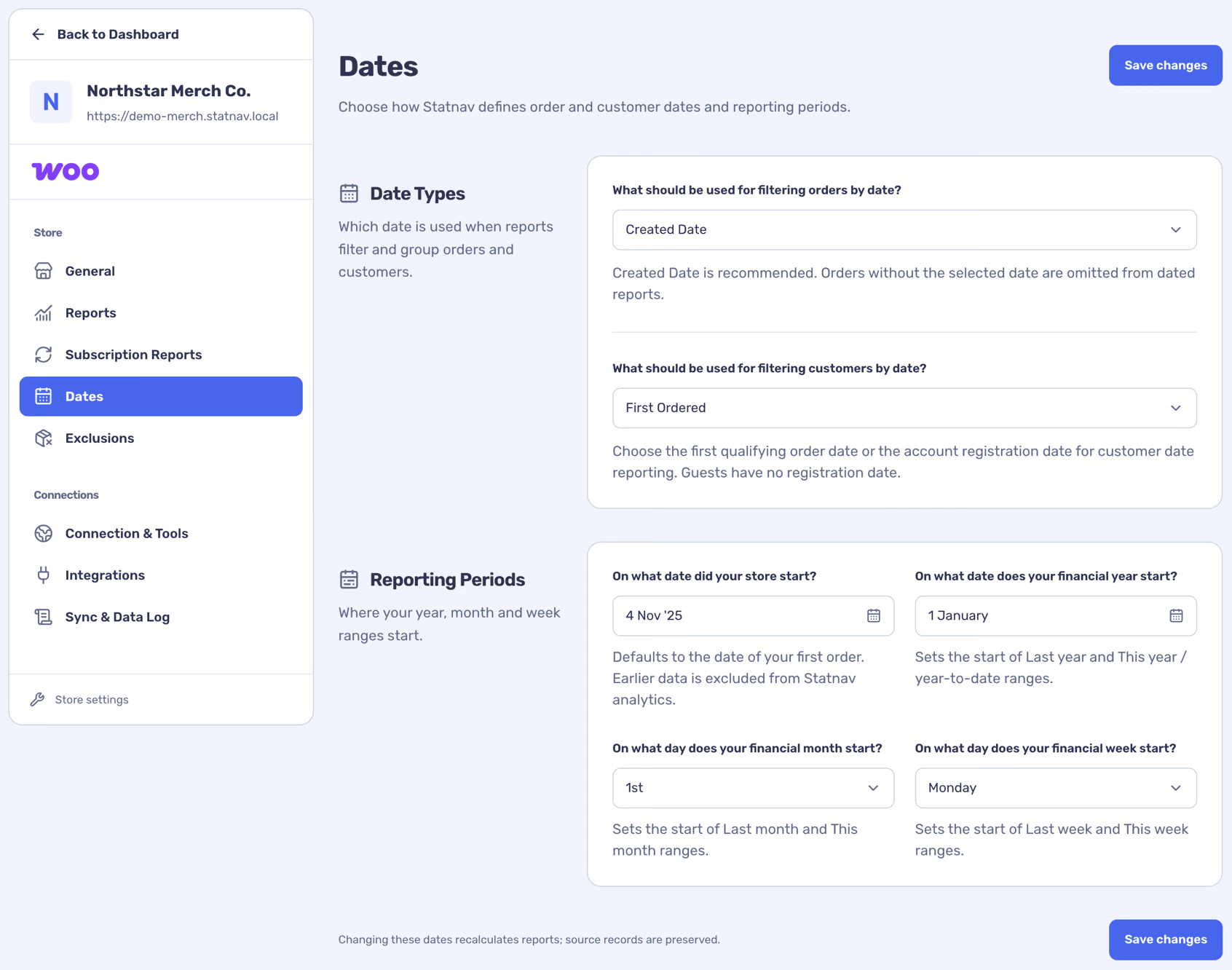
Changing these settings recalculates views from stored data; it does not change the source records in WooCommerce.