EXPLORE YOUR STORE DATA
Explore products, variations and inventory
Start with the Products menu to explore your catalogue, then open an item to see the sales and customers associated with it.
6 min readOpen a product
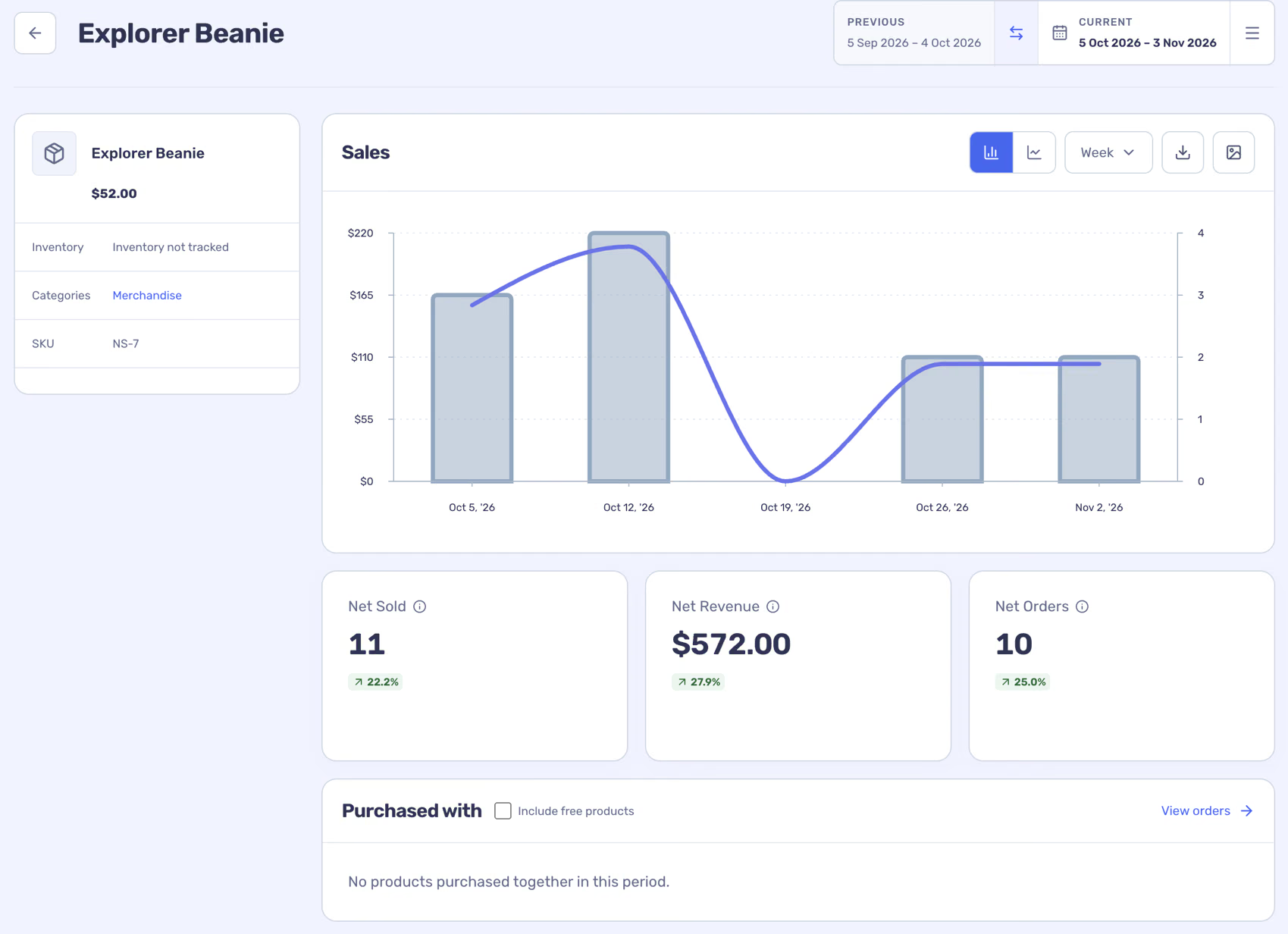
The side panel shows current catalogue information where available. Sales reflect the selected period; catalogue details and stock reflect the latest imported data.
- Open Products → All products and search, sort or segment the list.
- Choose the product name to see the item’s detail.
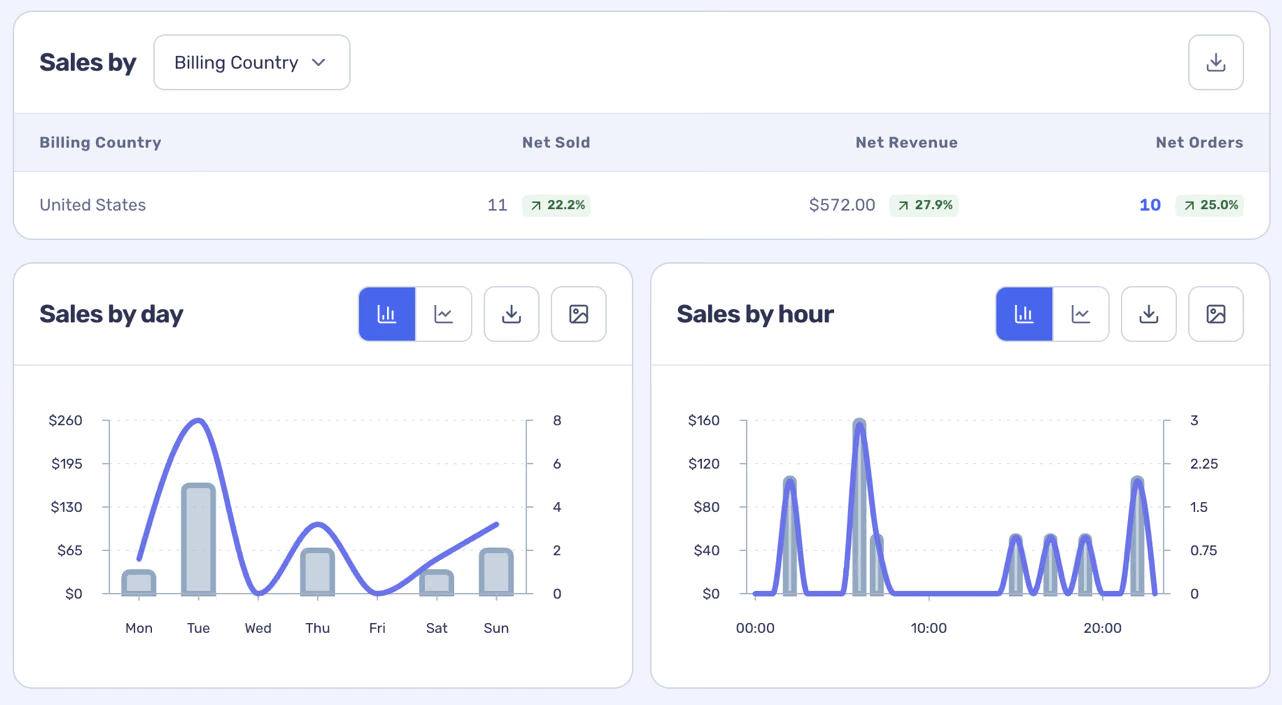
- Set the date range and inspect its charts, breakdowns and associated orders or customers.
Explore variations and groups
Products → Variations lists individual variants. Use Categories to explore current product assignments, or Groups to create a reusable group of products for analysis. A variation can have its own cost in Costs → Variations.
Find opportunities and stock signals
- Top sellers helps you compare leading products.
- Bought together shows combinations found in orders and can help you investigate bundles.
- Stock Velocity uses managed stock and a recent sales rate to estimate stock days left.
Stock estimates are directional. Check WooCommerce inventory, lead times and expected demand before replenishing.