Filter and save segments
A segment is a saved set of filter conditions. Use one to return to a useful group of customers, orders, products, or other supported records.
4 min readBuild a filter
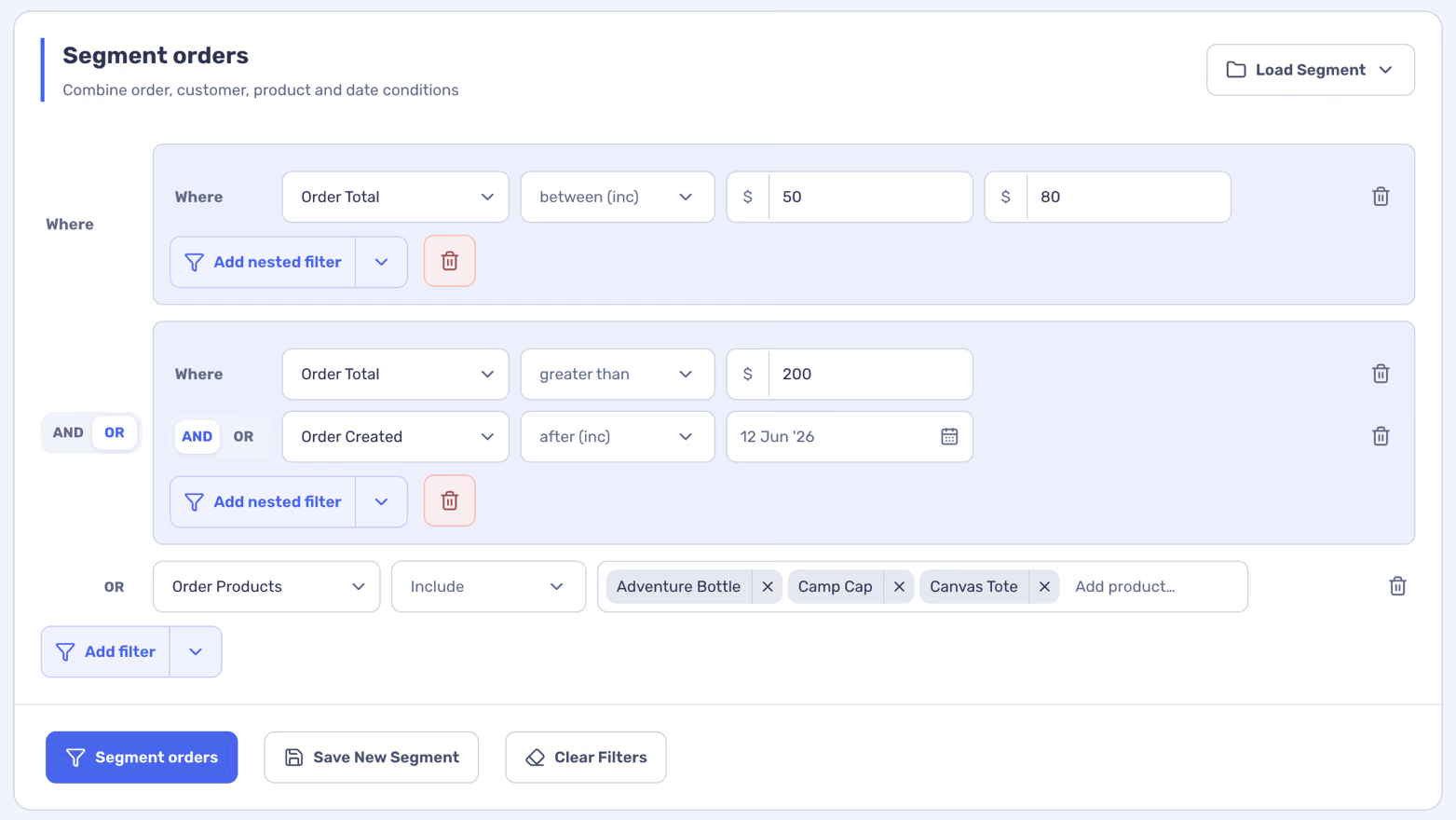
Available fields depend on the type of records. AND requires every condition in its group to match; OR accepts any condition in that group. Nest groups to express a combination such as orders over $200 after a chosen date OR orders containing a particular product. Some reports also have a Segment control that filters the report itself.
- Open a supported list, such as Customers, Orders, or Products.
- Use its segment or filter area to choose a field and a condition.
- Add more filters or a group when you need to combine conditions, then select the button to segment that list.
Save and reuse it
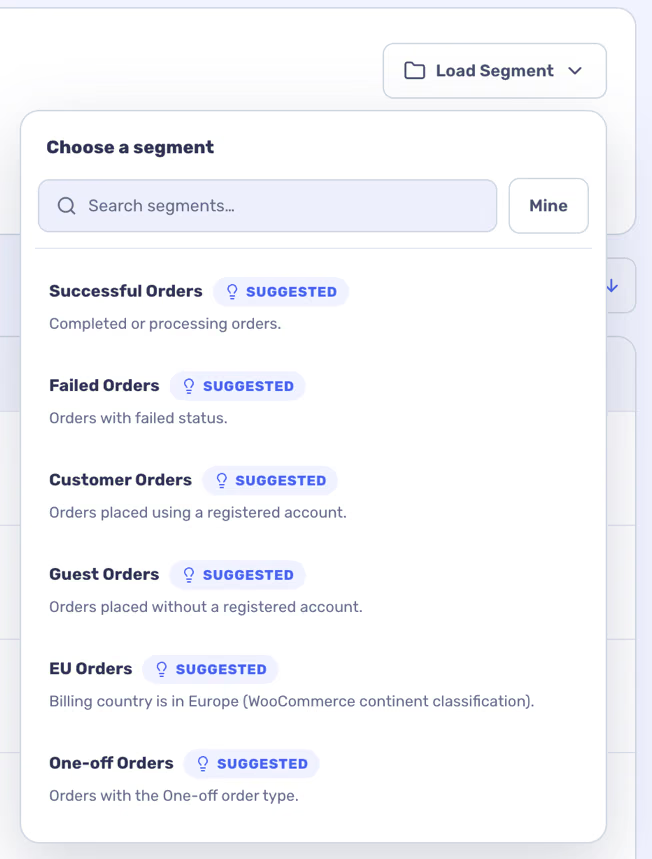
Suggested segments may also appear in Load Segment. A saved segment keeps its conditions; its matching records can change when store data changes.
- With conditions in place, select Save New Segment.
- Give the segment a name and, if useful, a description.
- Later, choose Load Segment to apply it again. You can update a saved segment or save your edits as a new one.
Use the result
Review the matching records before exporting. On supported lists, the export uses the current search, segment, and date selection.
Segments organize reporting and exports. Statnav does not send marketing campaigns to the customers in a segment.