Choose reporting settings and exclusions
Control which records and amounts Statnav includes. Review these settings before comparing totals with another system.
6 min readChoose included orders and revenue deductions
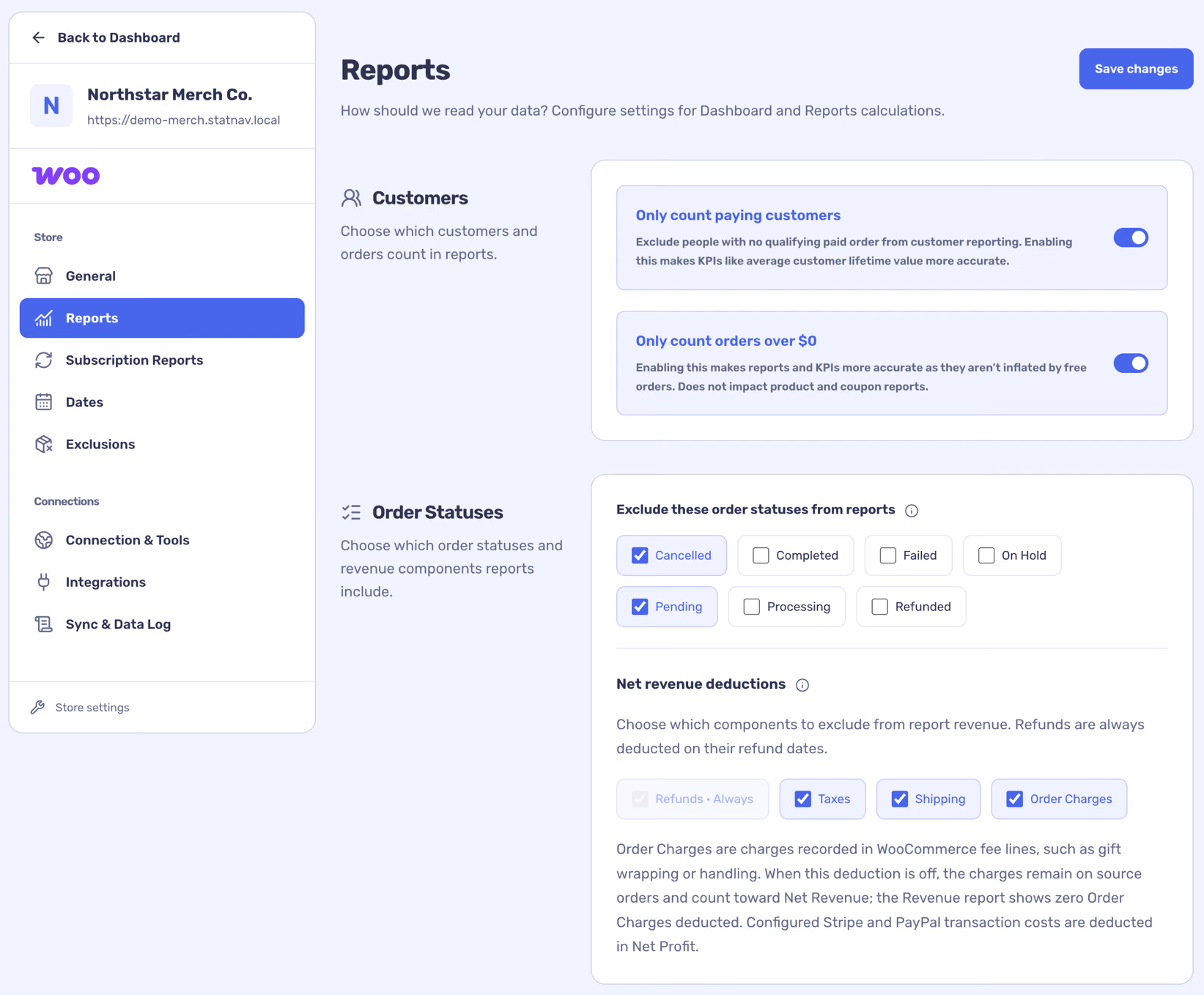
In Store settings → Reports, choose whether to count only paying customers and positive-value orders, and select order statuses to exclude. Choose whether tax, shipping and order charges are deducted from net revenue. Refunds are always deducted on their refund dates.
These settings affect historical calculations after saving; the source records remain intact. Use the Last Month preview after saving to see the effect.
Choose subscription settings
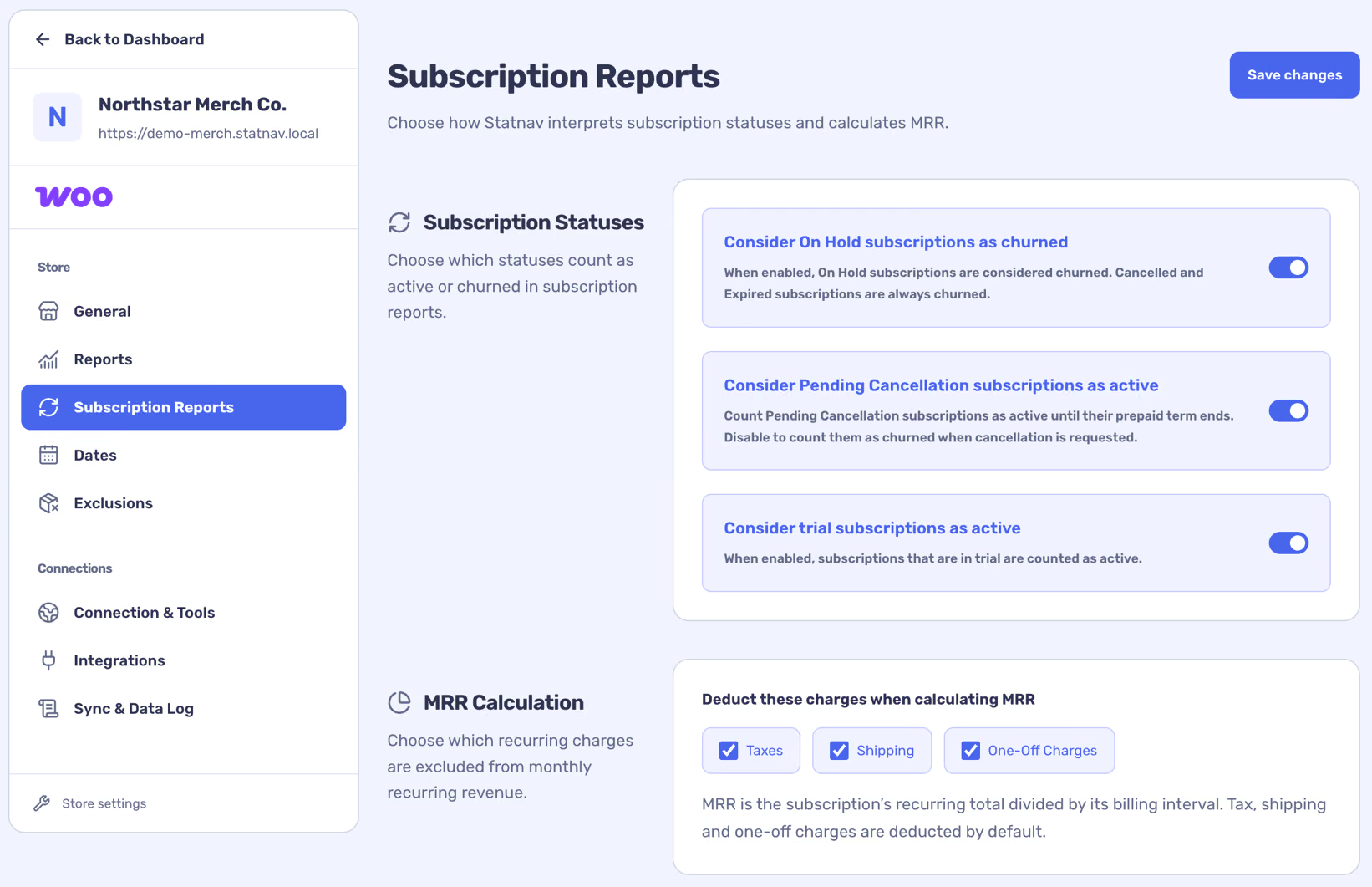
If subscription data is available, Store settings → Subscription Reports lets you decide how on-hold, pending-cancellation and trial subscriptions are treated, and which charges are deducted from MRR. These choices can change subscription totals.
Exclude products or customers
Exclusions are reporting choices rather than deletions in WooCommerce. Review them when a product or customer appears to be missing.
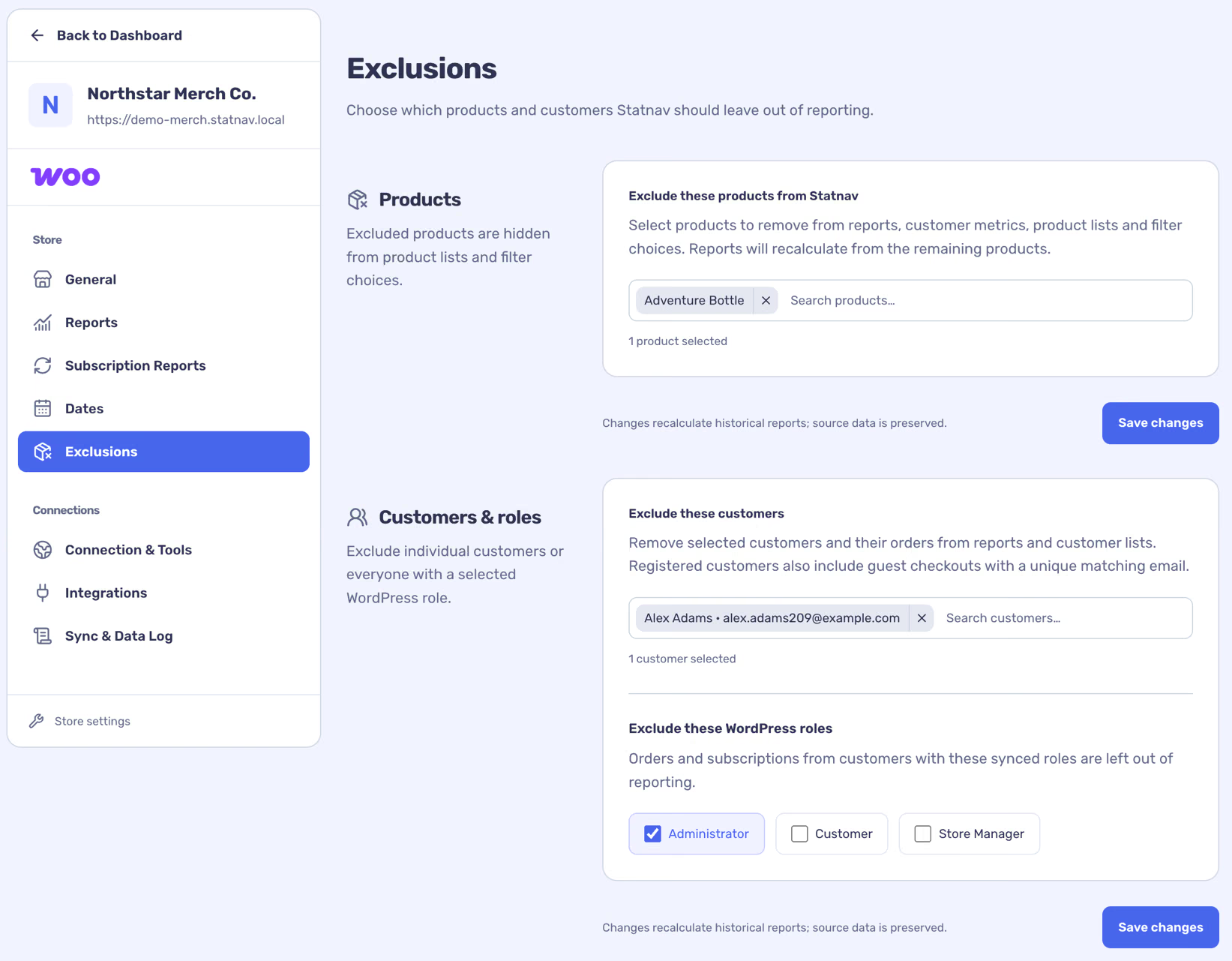
- Open Store settings → Exclusions.
- Choose products, individual customers or customer roles that should be left out of reporting.
- Save the appropriate section and check the affected views.